


OpenClaw AI Automation: Advanced AI-Driven Automated WordPress Site Scaling and Load Balancing Strategies (Part 64)
April 15, 2026
OpenClaw AI Automation: Implementing AI-Driven Automated WordPress User Role and Permission Management (Part 65)
April 16, 2026Introduction to AI-Driven WordPress Security Hardening
WordPress powers a significant portion of the web, making it a frequent target for cyberattacks. While traditional security plugins offer baseline protection, integrating AI-driven automation with OpenClaw elevates your security posture by proactively identifying, mitigating, and preventing threats in real time.

This article details how OpenClaw AI agents can automate WordPress security hardening tasks, threat detection, and preventive actions to safeguard your site efficiently without constant manual intervention.
Why AI Automation Matters in WordPress Security
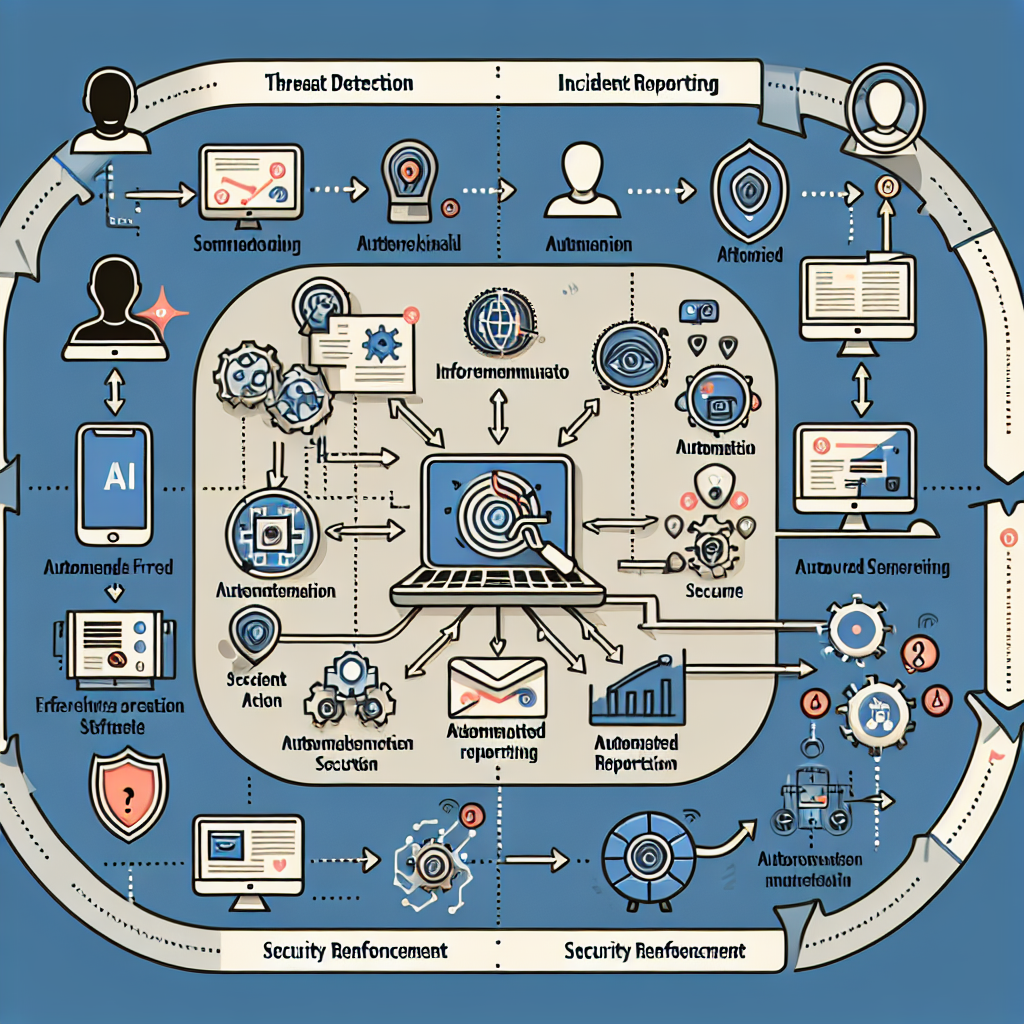
Static security measures often fail against dynamic and evolving cyber threats. AI agents can adapt, learn, and respond faster than manual methods. OpenClaw agents can analyze patterns, detect anomalies, and automate remediation workflows — reducing risk and operational overhead.
Key Benefits of AI-Driven Security Automation
- Continuous Monitoring: Real-time scanning for vulnerabilities and suspicious activity.
- Adaptive Threat Detection: Machine learning models identify novel threats beyond signature-based detection.
- Automated Incident Response: Immediate isolation, blocking, or mitigation actions without waiting for manual approval.
- Reduced Human Error: Automation minimizes oversight and delays in patching or threat response.
- Scalability: Seamlessly protect multiple WordPress sites or multisite networks with consistent policies.
Core Components of AI-Driven WordPress Security with OpenClaw
Implementing AI-powered WordPress security automation involves several layers and components. OpenClaw’s multi-agent architecture allows modular deployment of these capabilities:
1. Vulnerability Scanning AI Agent
This agent performs continuous scans of WordPress core files, themes, and plugins to detect outdated versions, known vulnerabilities, and suspicious file changes.
- Implementation Detail: The agent uses API integration with databases like WPScan Vulnerability Database to cross-reference installed plugins and themes.
- Example Workflow: Once a vulnerability is detected, the agent automatically triggers a patch recommendation or initiates an update workflow.
2. Threat Intelligence and Anomaly Detection Agent
Using machine learning, this agent analyzes traffic patterns, login attempts, and user behavior to identify anomalies such as brute force attacks, suspicious IPs, or bot activity.
- Implementation Detail: The agent ingests logs from WordPress and server-level firewalls, applying clustering algorithms to detect outliers.
- Example Workflow: When an anomaly is flagged, the agent can automatically blacklist IPs or throttle suspicious requests.
3. Automated Incident Response Agent
Upon detection of threats, this agent executes predefined remediation workflows such as disabling compromised user accounts, rolling back malicious code changes, or creating security alerts for admins.
- Implementation Detail: The agent is integrated with WordPress REST API and hosting control panels to perform real-time actions.
- Example Workflow: If a malware injection is detected, the agent quarantines affected files and restores clean backups.
4. Security Policy Enforcement Agent
This agent ensures compliance with security best practices like enforcing strong password policies, two-factor authentication (2FA), and limiting login attempts.
- Implementation Detail: It periodically audits user accounts and settings, sending automated reminders or enforcing changes.
- Example Workflow: Users with weak passwords are prompted to update credentials or have their access temporarily restricted.
Practical Implementation: Setting Up OpenClaw AI Security Agents
Below is a step-by-step example of deploying these AI automation components on a WordPress site using OpenClaw.
Step 1: Deploy Vulnerability Scanning Agent
openclaw deploy agent vulnerability-scanner --target wordpress-site-123
openclaw configure agent vulnerability-scanner --scan-frequency daily --notify [email protected]
This sets the agent to perform daily vulnerability scans and notify the admin on critical findings.
Step 2: Integrate Threat Detection Agent with Firewall Logs
openclaw deploy agent threat-detector --input-source firewall-logs --target wordpress-site-123
openclaw configure agent threat-detector --auto-block true --block-duration 24h
The agent will analyze firewall logs and automatically block suspicious IP addresses for 24 hours.
Step 3: Enable Automated Incident Response Agent
openclaw deploy agent incident-response --target wordpress-site-123
openclaw configure agent incident-response --actions quarantine-files, disable-users, restore-backups
Configures the agent to take immediate action upon threat detection, including quarantining malicious files and disabling compromised accounts.
Step 4: Activate Security Policy Enforcement Agent
openclaw deploy agent policy-enforcer --target wordpress-site-123
openclaw configure agent policy-enforcer --enforce-2fa true --password-strength high --login-attempt-limit 5
Enforces 2FA, strong passwords, and limits login attempts to mitigate credential stuffing.
Monitoring and Reporting
OpenClaw provides a centralized dashboard to monitor security status, incident logs, and agent activities. Scheduled reports summarize vulnerabilities found, threats blocked, and compliance status.
Example: Security Dashboard Snapshot
The dashboard highlights real-time threat alerts, recent automated actions taken by agents, and weak points requiring admin attention.
Advanced Strategies: Integrating AI Security Automation with DevOps
For agencies or businesses managing multiple WordPress sites, integrating OpenClaw AI security agents into CI/CD pipelines ensures security checks at every deployment stage.
- Pre-Deployment Scans: Automated vulnerability scans prevent deployment of insecure code or plugins.
- Post-Deployment Monitoring: Continuous threat detection ensures new vulnerabilities are caught early.
- Automated Rollbacks: Incident response agents can trigger rollbacks to last known clean states automatically.
Case Study: Small Business Website Protection
A local e-commerce business implemented OpenClaw AI-driven security automation to protect their WordPress shop. Prior to automation, they suffered frequent downtime due to brute force attacks and plugin vulnerabilities.
After deploying OpenClaw agents:
- Login attempts from suspicious IPs were automatically blocked, reducing brute force attempts by 90%.
- Vulnerability scans identified outdated plugins, prompting timely updates before exploits occurred.
- Automated incident responses handled malware injections immediately, minimizing downtime.
- Security policy enforcement improved user password hygiene and adoption of 2FA.
This resulted in a 75% reduction in security incidents and enabled the business owner to focus more on sales and marketing than site maintenance.
Best Practices for AI-Driven WordPress Security Automation
- Regularly Update AI Models: Ensure the AI agents’ threat intelligence databases and ML models stay current.
- Customize Response Actions: Tailor automated remediation workflows to your site’s specific risk tolerance.
- Maintain Backup Integrity: Automated incident responses often rely on clean backups — verify backup health frequently.
- Combine with Human Oversight: Use AI automation to augment, not replace, expert security review.
- Test Automation Workflows: Simulate attacks to validate that AI agents respond as expected without false positives.
Conclusion
OpenClaw AI automation empowers WordPress site owners and operators with intelligent, adaptive, and automated security hardening and threat prevention. By deploying specialized AI agents for vulnerability scanning, anomaly detection, incident response, and policy enforcement, businesses can drastically reduce risks and operational burdens.
Integrating these workflows into your WordPress management strategy ensures a resilient, secure website capable of defending itself against evolving cyber threats. In the next part of this series, we will explore AI-driven automated WordPress database optimization and security hardening techniques to complement this security framework.
Inline Images

Figure 1: OpenClaw AI Security Dashboard showcasing threat alerts and automated actions.

Figure 2: AI-driven automated threat detection and incident response workflow for WordPress security hardening.

