


OpenClaw AI Automation: Implementing AI-Driven Security and Compliance Monitoring for WordPress and Hosting Environments (Part 16)
March 18, 2026
OpenClaw Prompts: Build Your Own AI Assistant (Full System Blueprint)
March 19, 2026Introduction
In this seventeenth installment of the OpenClaw AI Automation series, we dive into the practical implementation of AI-driven customer support chatbots enhanced with natural language understanding (NLU). For business owners and technical operators managing WordPress-based websites, integrating intelligent chatbots can dramatically improve customer engagement, reduce support workload, and deliver consistent service quality.
Understanding AI-Powered Customer Support Chatbots
Customer support chatbots powered by AI simulate human-like conversations and handle a wide range of inquiries autonomously. Unlike rule-based bots, AI-driven chatbots leverage NLU to interpret user intent, manage context, and respond with relevant, dynamic answers. OpenClaw’s modular AI agents provide a robust framework to build such chatbots optimized for WordPress environments.
Key Components of an AI Customer Support Chatbot
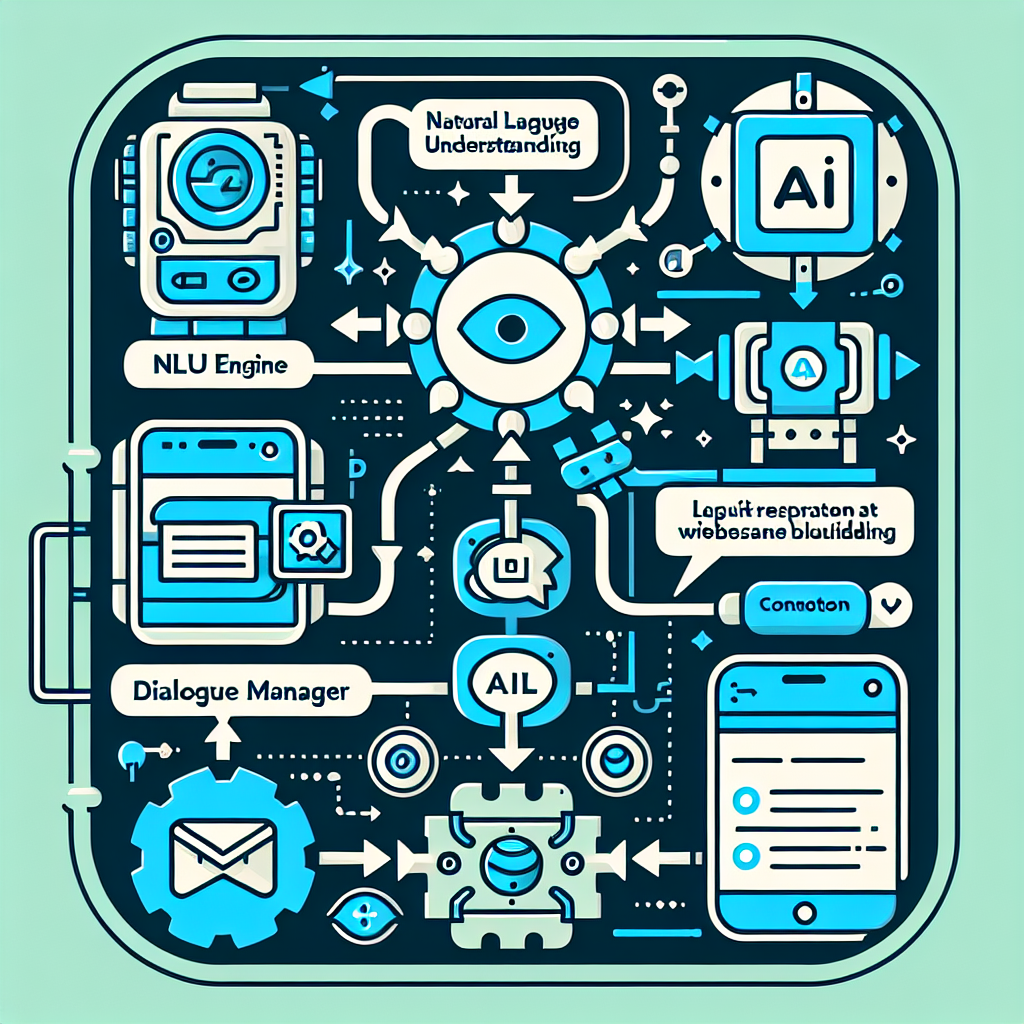
- Natural Language Understanding: Extracts user intent and entities from freeform text.
- Dialogue Management: Maintains conversation state and manages multi-turn interactions.
- Knowledge Base Integration: Connects to FAQs, support documentation, and CRM data.
- Escalation and Handover: Transfers complex queries to human agents seamlessly.
Implementing OpenClaw Chatbots with Natural Language Understanding
OpenClaw’s AI agent architecture supports integrating advanced NLU engines, allowing chatbots to understand nuanced user queries and provide accurate responses.
Step 1: Selecting an NLU Engine
Popular open-source and cloud-based NLU engines compatible with OpenClaw include:
- Rasa NLU: Open-source, customizable, and extensible.
- Google Dialogflow: Cloud-based with prebuilt agents and integrations.
- Microsoft LUIS: Azure-based language understanding service.
For this example, we focus on integrating Rasa NLU due to its flexibility and strong developer community support.
Step 2: Training the NLU Model
Prepare training data that includes intents typical to your business, such as product_inquiry, order_status, technical_support, and general_greeting. Annotate sample user utterances with corresponding intents and entities.
{
  "rasa_nlu_data": {
    "common_examples": [
      {"text": "Where is my order?", "intent": "order_status", "entities": []},
      {"text": "I need help with WordPress setup", "intent": "technical_support", "entities": [ {"entity": "product", "value": "WordPress"} ]}
    ]
  }
}
Train the model locally or on a server, then deploy the NLU service accessible by your OpenClaw agents.
Step 3: Configuring OpenClaw AI Agents for Chatbot Interaction
Within OpenClaw, create or customize an AI agent with the following capabilities:
- NLU Request Handler: Sends user messages to the Rasa NLU API and receives intent and entity data.
- Dialogue Manager: Maintains session context and decides the next action based on intent.
- Response Generator: Uses predefined templates or dynamically generated responses.
- Fallback Handler: Detects uncertain interpretations and triggers escalation workflows.
Example agent workflow configuration snippet (pseudo-code):
function onUserMessage(msg) {
  let nluResult = callRasaNLU(msg);
  if (nluResult.confidence > 0.7) {
    sessionContext.update(nluResult.intent, nluResult.entities);
    let response = generateResponse(nluResult.intent, nluResult.entities, sessionContext);
    sendMessageToUser(response);
  } else {
    escalateToHumanAgent(msg);
  }
}
Integrating with WordPress
To embed the chatbot into a WordPress site, consider the following approaches:
Using a Custom Plugin with REST API
Create a WordPress plugin that adds a chat widget frontend and communicates with OpenClaw agents through REST APIs. This plugin handles user sessions, message passing, and displays responses in real time.
Leveraging Existing Chat Widget Plugins
Alternatively, integrate OpenClaw AI agents with popular chat widgets (e.g., WP Live Chat Support) by extending their backend to route messages to your AI agents.
Example: Simple Chat Widget Integration
Here’s a minimal JavaScript snippet for sending user input to OpenClaw’s chatbot endpoint and rendering the response:
document.getElementById('chat-submit').addEventListener('click', async () => {
  const userMsg = document.getElementById('chat-input').value;
  const response = await fetch('/wp-json/openclaw-chat/v1/message', {
    method: 'POST',
    headers: { 'Content-Type': 'application/json' },
    body: JSON.stringify({ message: userMsg })
  });
  const data = await response.json();
  displayChatResponse(data.reply);
});
Ensuring Seamless Human-Agent Escalation
While AI chatbots handle routine queries effectively, complex or sensitive issues require human intervention. OpenClaw supports intelligent escalation mechanisms:
- Confidence Thresholds: Automatically detect when NLU confidence is low and escalate.
- Sentiment Analysis: Identify frustrated or angry users and prioritize human handover.
- Chat Transfer: Forward conversation context to human agents to avoid repetition.
Integrate with existing customer support platforms like Zendesk or Freshdesk using OpenClaw’s API connectors to streamline escalation workflows.
Practical Example: Deploying a WordPress AI Chatbot for a Hosting Provider
Consider a web hosting company using WordPress for their main site and client portal. They want to reduce support tickets about common issues like server status, billing, and domain management.
- Define Intents: Server_status, Billing_inquiry, Domain_transfer, Technical_support, General_questions.
- Prepare Training Data: Collect sample questions and map intents.
- Train Rasa NLU model: Deploy on a dedicated server.
- Configure OpenClaw agent: Integrate API calls to Rasa, implement dialogue flows for each intent.
- Embed chatbot widget: Use a custom WordPress plugin for front-end chat UI.
- Set escalation rules: Hand off complex billing questions to human agents.
This setup enables 24/7 automated support, improves response times, and frees human agents to focus on complex tasks.
Advanced Tips for Optimizing Chatbot Performance
- Continuous Training: Regularly update the NLU model with new user queries and feedback.
- Contextual Memory: Use OpenClaw’s session management features to retain user context across visits.
- Multi-Channel Deployment: Extend chatbot availability to WhatsApp, Facebook Messenger, and email using OpenClaw’s multi-agent orchestration.
- Analytics and Reporting: Monitor chatbot interactions to identify gaps and improve response quality.
Conclusion
Implementing AI-driven customer support chatbots using OpenClaw and natural language understanding empowers WordPress businesses to automate routine support, enhance user experience, and optimize operational efficiency. By following the detailed steps and best practices outlined, business owners and technical operators can deploy robust, scalable chatbot solutions tailored to their unique workflows.
Further Reading and Related Articles
- OpenClaw AI Automation: Implementing AI-Powered Content Moderation and Spam Filtering for WordPress (Part 17)
- OpenClaw AI Automation: Implementing AI-Driven Security and Compliance Monitoring for WordPress and Hosting Environments (Part 16)
- OpenClaw AI Automation: Advanced Anomaly Detection and Automated Incident Management for Business Continuity (Part 15)

