


OpenClaw AI Automation: Implementing AI-Driven Automated WordPress User Onboarding and Engagement Workflows (Part 74)
April 22, 2026
OpenClaw AI Automation: Integrating AI-Driven Automated WordPress Lead Generation and CRM Workflows (Part 76)
April 23, 2026Introduction
As WordPress powers a significant portion of the web, security remains a critical concern for businesses and website operators. While traditional security tools provide essential protection, integrating AI-driven automation through OpenClaw can elevate your incident response and remediation workflows to a new level of efficiency and precision.

This article explores practical implementations of AI-powered automated security incident detection, response, and remediation workflows within WordPress environments. It guides business owners and technical operators through setting up OpenClaw AI agents that act swiftly to contain threats, analyze incidents, and automate fixes, reducing manual intervention and potential damage.
Understanding AI-Driven Security Incident Response in WordPress
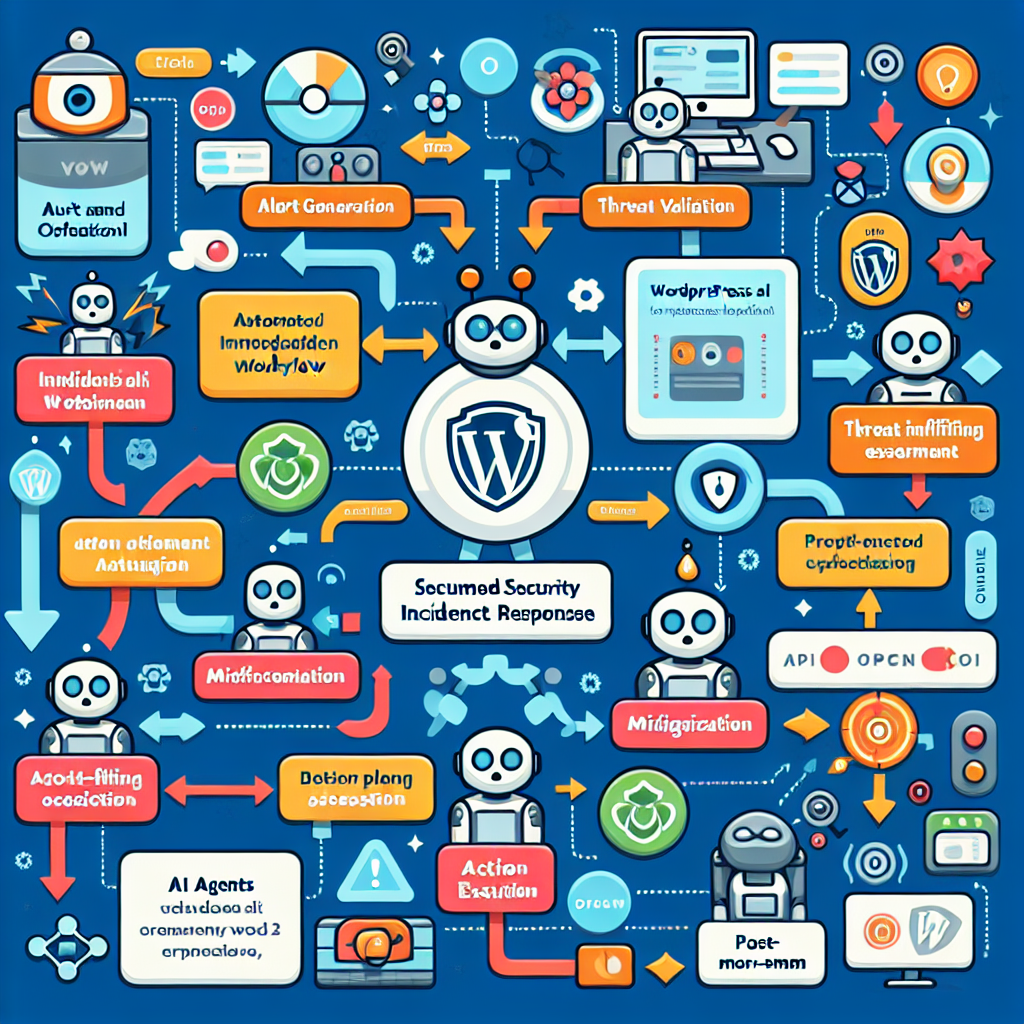
Security incidents can include unauthorized access, malware infections, suspicious file changes, brute force attacks, and other anomalies. Rapidly detecting and responding to such incidents is crucial.
OpenClaw AI automation enables a multi-layered security incident response by combining:
- Real-time anomaly detection: Monitoring logs, file integrity, and traffic patterns.
- Incident classification and prioritization: Using AI to assess severity and type of threat.
- Automated containment: Actions such as blocking IPs, disabling compromised users, or isolating affected files.
- Remediation: Automated patching, malware removal, and configuration fixes.
- Reporting and alerting: Generating detailed reports and alert notifications for admins.
Why Automate Security Incident Response?
Manual incident response can be slow and error-prone, especially for small businesses that lack dedicated security teams. Automation with OpenClaw AI agents can:
- Accelerate detection and reduce response time
- Ensure consistent and accurate remediation
- Free up technical staff for strategic tasks
- Minimize business impact and downtime
Step-by-Step Implementation of AI-Driven Automated Security Incident Response
1. Setting Up Monitoring AI Agents
Begin by deploying OpenClaw AI agents to continuously monitor key security indicators in your WordPress environment:
- File Integrity Monitoring (FIM): Detect unauthorized changes to core, theme, and plugin files.
- Login Activity Monitoring: Track failed login attempts, unusual login times, or multiple IPs.
- Traffic Anomaly Detection: Identify spikes or suspicious patterns indicating brute force or DDoS attacks.
- Database Change Monitoring: Detect suspicious content injections or unauthorized changes.
OpenClaw agents use AI models trained on historical data and known attack patterns to flag anomalies in real time.
2. Incident Classification and Prioritization
When an anomaly is detected, the AI agent classifies the incident by type (e.g., malware, brute force, privilege escalation) and severity using predefined AI models and context analysis.
This prioritization helps the system decide which incidents require immediate automated response and which can be queued for manual review.
3. Automated Containment Actions
For high-severity incidents, OpenClaw AI agents immediately execute containment steps such as:
- Blocking offending IP addresses via firewall rules.
- Temporarily disabling compromised user accounts.
- Quarantining suspicious files to a secure folder.
- Restricting write permissions on critical directories.
These actions are scripted within OpenClaw workflows and triggered automatically upon incident detection.
4. Automated Remediation Workflows
Once contained, remediation workflows take over. Examples include:
- Malware Removal: AI agents run malware scanners, isolate infected files, and replace them with clean versions from backups.
- Patch and Update Automation: Automatically update vulnerable plugins, themes, or WordPress core to patched versions.
- Configuration Fixes: Reset altered security configurations such as .htaccess rules, user permissions, or firewall settings.
These workflows leverage OpenClaw’s integration with WordPress CLI, file system access, and API endpoints to perform changes safely and efficiently.
5. Reporting and Alerting
After remediation, the AI agent generates detailed incident reports, including:
- Incident timeline and actions taken
- System state before and after remediation
- Recommendations for further manual review if needed
Notifications can be sent via email, Slack, or integrated business communication tools to keep stakeholders informed.
Practical Example: Automating Brute Force Attack Response
Imagine your WordPress site faces a sudden surge of failed login attempts from multiple IP addresses.
- Detection: OpenClaw AI agent monitoring login logs detects the abnormal spike.
- Classification: The incident is flagged as a brute force attack with high severity.
- Containment: The AI agent triggers firewall updates, blocking offending IP ranges.
- Remediation: The system enforces a temporary site-wide login CAPTCHA and alerts admins to reset passwords.
- Reporting: A detailed report is sent to the security team summarizing the event and actions taken.
This level of automation reduces risk exposure and ensures quick mitigation without manual intervention.
Technical Implementation Details
OpenClaw Workflow Configuration
Use OpenClaw’s visual workflow editor to define triggers, conditions, and actions:
- Trigger: Log anomaly detected (e.g., failed login count exceeds threshold)
- Condition: IP address not whitelisted
- Actions: Add IP to firewall block list, send admin alert, initiate CAPTCHA enforcement
Workflows can be chained for containment and remediation phases.
Integrating with WordPress and Server Tools
OpenClaw agents interact with WordPress via REST API and WP-CLI commands for tasks like user management and plugin updates. For firewall and server-level controls, OpenClaw invokes shell commands or uses third-party APIs (e.g., Cloudflare firewall rules).
Security and Testing Considerations
- Sandbox Testing: Always test workflows in staging environments to prevent accidental lockouts or site disruptions.
- Logging and Audit Trails: Maintain detailed logs for all automated actions for compliance and forensics.
- Fail-Safe Mechanisms: Include manual override options and rollback procedures in workflows.
Advanced Enhancements and AI Model Training
To optimize detection accuracy and reduce false positives, continuously train AI models on your site’s historical security data. Incorporate threat intelligence feeds to update detection parameters dynamically.
OpenClaw supports integration with external AI services and custom model uploads, enabling tailored security incident response models.
Conclusion
By mastering AI-driven automated security incident response and remediation workflows with OpenClaw, businesses can significantly enhance their WordPress site security posture. The combination of real-time threat detection, rapid containment, and automated remediation reduces risk and operational overhead.
Implementing these workflows requires careful planning, testing, and ongoing monitoring but delivers substantial benefits in protecting your digital assets.
In our next part, we will explore leveraging OpenClaw AI agents for automated WordPress performance tuning and resource optimization.

