


OpenClaw AI Automation: Advanced AI-Driven Automated Workflow Analytics and Optimization for Small Businesses (Part 30)
March 27, 2026
OpenClaw AI Automation: Implementing AI-Driven Automated Performance Monitoring and Optimization for WordPress (Part 32)
March 28, 2026Introduction
Security remains a critical concern for WordPress website owners, especially small businesses that often lack dedicated IT security teams. In Part 31 of our OpenClaw AI Automation series, we focus on leveraging OpenClaw AI agents to implement automated security incident response workflows specifically designed for WordPress environments. This approach empowers business owners and technical operators to detect and mitigate security threats swiftly, minimizing downtime and data breaches.
Why Automate Security Incident Response for WordPress?

WordPress powers over 40% of websites worldwide, making it a lucrative target for attackers. Common attack vectors include brute force login attempts, plugin vulnerabilities, cross-site scripting (XSS), and malware injection. Manual incident response can be slow, error-prone, and costly. Automating these processes with AI-driven agents enables:
- Real-time threat detection: AI agents continuously monitor logs and traffic for anomalies.
- Rapid incident triage: Automated classification and prioritization of security events.
- Automated remediation: Immediate execution of predefined mitigation steps.
- Continuous learning: AI agents improve detection accuracy by learning from new incidents.
Core Components of OpenClaw AI-Driven Security Incident Response
Implementing automated security response with OpenClaw involves several key components:
- Data Collection: Gathering logs from WordPress, web server, firewall, and security plugins.
- Threat Detection: AI models analyze collected data to identify suspicious patterns.
- Incident Analysis: Contextualizing detected anomalies to classify incident severity.
- Response Orchestration: Triggering automated workflows to contain and remediate threats.
- Reporting and Feedback: Generating alerts and feeding results back to AI for model refinement.
Step-by-Step Implementation Guide
1. Integrate Log Sources for Comprehensive Monitoring
Begin by configuring your WordPress hosting environment to centralize key log data. This includes:
- WordPress logs: Enable WP_DEBUG_LOG to capture PHP errors and suspicious activity.
- Web server logs: Collect Apache or Nginx access and error logs.
- Firewall logs: Include logs from any WAF (Web Application Firewall) or server firewalls.
- Security plugins: Plugins like Wordfence or Sucuri provide event logs that are valuable for incident detection.
Use OpenClaw’s data ingestion modules or custom scripts to feed these logs into the AI agent’s processing pipeline. For example, a cron job can push new logs every 5 minutes to the OpenClaw agent API.
2. Develop AI Models for Threat Detection
OpenClaw AI agents utilize a combination of signature-based and anomaly detection methods:
- Signature Matching: Use known threat signatures, such as repeated failed logins or specific malware hashes, to flag events.
- Anomaly Detection: Train unsupervised machine learning models on normal traffic and behavior patterns to identify deviations like unusual IP access or spikes in POST requests.
Implement these using OpenClaw’s AI model training framework. For example, you can train a clustering model on web traffic patterns and set thresholds for alerting.
3. Contextual Incident Analysis and Prioritization
Once an anomaly or threat is detected, the AI agent enriches the alert with context:
- Identify attacker IP reputation by querying threat intelligence feeds.
- Correlate event timing with recent plugin updates or configuration changes.
- Assess potential business impact based on targeted assets (e.g., e-commerce checkout page vs. blog post).
This analysis helps prioritize incidents and decide the response level — from alerting an admin to immediate automated blocking.
4. Automate Response Workflows
OpenClaw enables defining granular automated workflows for incident response, such as:
- Blocking suspicious IPs: Automatically add offending IPs to firewall blocklists.
- Quarantining compromised plugins: Disable plugins flagged with vulnerabilities or malicious code.
- Resetting passwords: Trigger password resets for affected user accounts.
- Launching malware scans: Run security plugins’ scan commands to identify deeper infections.
- Notifying stakeholders: Send detailed incident reports via email or Slack.
These workflows can be implemented using OpenClaw’s task orchestration engine, which supports conditional branching and API integrations.
5. Continuous Improvement Through Feedback Loop
After incident resolution, OpenClaw agents gather feedback on the outcome:
- Was the alert a true positive or false alarm?
- How effective was the automated remediation?
- Are there patterns that require updating detection models?
This feedback is fed back into the AI training pipeline to refine detection accuracy and reduce false positives over time.
Practical Example: Automating Brute Force Attack Mitigation
Consider a common WordPress security threat: brute force login attempts. Here’s how OpenClaw automates detection and response:
- Data Ingestion: The AI agent continuously monitors the authentication logs for multiple failed login attempts from the same IP within a short time frame.
- Detection: The agent’s anomaly detection flags IPs exceeding a threshold of failed attempts as suspicious.
- Analysis: The agent checks the IP against blacklists and evaluates whether the attack targets admin accounts.
- Response: Automatically blocks the IP at the firewall level and triggers an email alert to the site administrator.
- Follow-up: The agent schedules a review task and logs the incident for further model tuning.
Implementation Tips for Small Business Owners
- Start Small: Begin by automating detection of high-risk events like login failures or plugin vulnerabilities.
- Test Workflows: Use staged environments to validate automated response actions to avoid unintended outages.
- Use Managed Hosting Integrations: Many managed WordPress hosts provide APIs that OpenClaw can integrate with for seamless firewall and plugin management.
- Regularly Update AI Models: Ensure your AI agents are retrained with recent data reflecting evolving threats.
- Maintain Transparency: Keep logs and reports accessible for audits and compliance requirements.
Advanced Considerations
AI-Enabled Forensics and Root Cause Analysis
OpenClaw agents can be extended to perform forensic analysis after incidents, automatically gathering evidence such as file changes, user activity logs, and network traffic captures. This assists technical teams in root cause identification and long-term remediation planning.
Integrating with Incident Management Systems
For larger environments, OpenClaw can connect with IT Service Management (ITSM) tools like Jira or ServiceNow to create and track security incident tickets, enabling seamless collaboration between AI automation and human operators.
Conclusion
Automating security incident response for WordPress with OpenClaw AI agents empowers small business owners and technical operators to enhance website security proactively. By implementing continuous monitoring, intelligent threat detection, and automated remediation workflows, organizations reduce risk exposure and operational burden. As threats evolve, OpenClaw’s adaptive AI models help keep defenses robust and responsive.
In the next part of this series, we will explore AI-driven automated compliance auditing for WordPress sites to ensure regulatory adherence and data privacy.
Inline Images
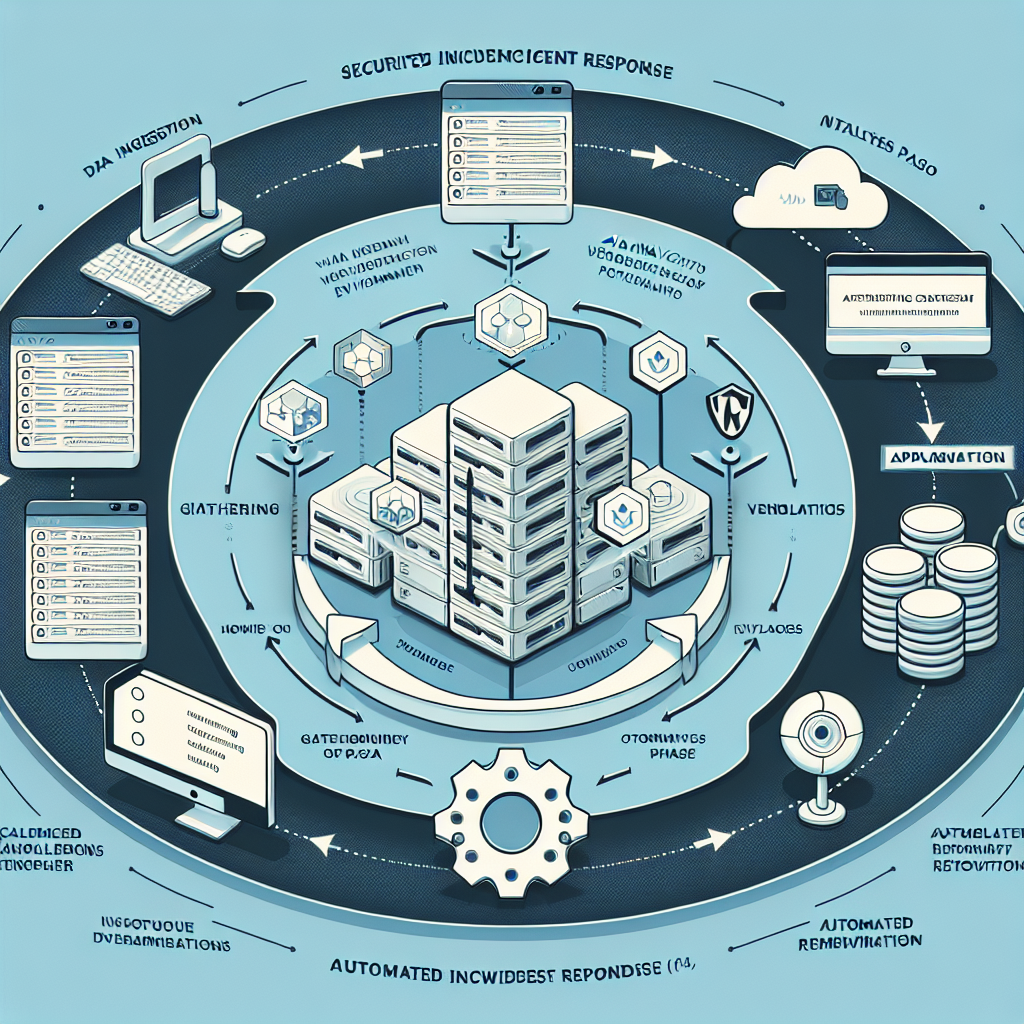
Image 1: A diagram illustrating the automated security incident response workflow in OpenClaw, showing data ingestion, AI analysis, and automated remediation steps.
Image 2: A screenshot example of OpenClaw dashboard displaying detected security incidents with actionable response options for a WordPress site.

