


OpenClaw AI Automation: Implementing AI-Driven Automated Knowledge Base Management for WordPress (Part 37)
April 1, 2026
OpenClaw AI Automation: Advanced AI-Driven Automated WordPress Security Hardening and Threat Mitigation (Part 39)
April 2, 2026Introduction
Continuing our deep dive into OpenClaw AI automation for WordPress, this installment focuses on automating the WordPress plugin lifecycle management. Plugins are vital for extending WordPress functionality but require ongoing maintenance to ensure security, compatibility, and optimal performance. Traditionally, managing plugins is a manual, time-consuming process prone to human error. Leveraging OpenClaw AI agents to automate this lifecycle can save business owners and technical operators countless hours, reduce risks, and improve website health.
Why Automate WordPress Plugin Lifecycle Management?
WordPress plugins frequently release updates to fix bugs, patch security vulnerabilities, add features, or maintain compatibility with WordPress core and other plugins. Failure to manage these updates promptly and correctly can lead to:
- Security risks from outdated plugins
- Site crashes or broken functionality due to compatibility issues
- Performance degradation
- Lost competitive advantage by missing new features
Manual plugin management is especially challenging for businesses running multiple sites or with limited technical staff. OpenClaw AI automation addresses these challenges by orchestrating plugin installations, configurations, updates, testing, and rollback procedures reliably and efficiently.
Key Components of AI-Driven Plugin Lifecycle Management
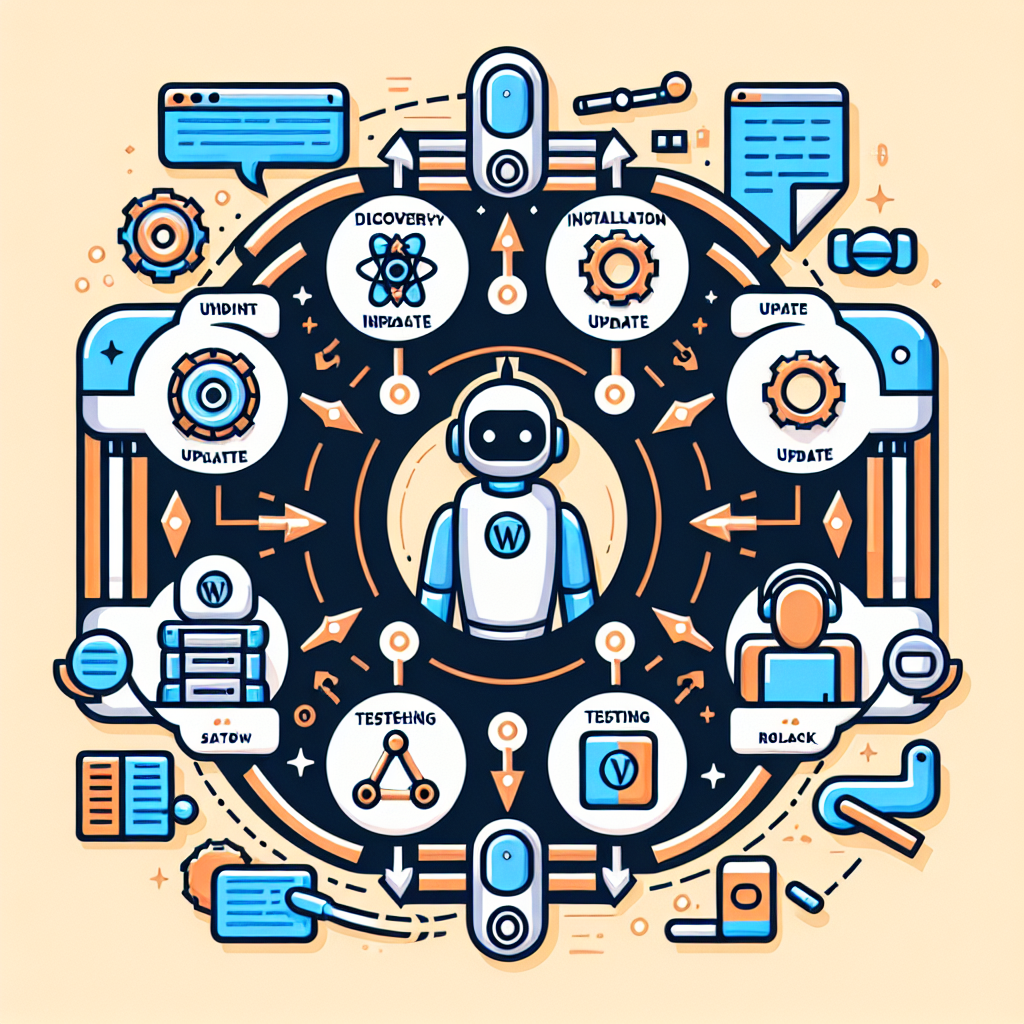
Automating plugin lifecycle with OpenClaw involves several interconnected stages:
- Plugin Discovery and Selection
- Automated Installation and Configuration
- Scheduled and Event-Triggered Updates
- Compatibility and Regression Testing
- Automatic Rollbacks and Recovery
- Monitoring and Reporting
1. Plugin Discovery and Selection
OpenClaw AI agents can be configured to monitor plugin repositories (WordPress.org, premium vendors) and trusted third-party sources for new and updated plugins that meet defined business needs or security criteria. Using AI-driven analysis, agents evaluate plugins based on:
- Security reputation and vulnerability reports
- User reviews and update frequency
- Compatibility with current WordPress core and PHP versions
- Performance benchmarks
- Feature relevance based on business goals
For example, a small business needing enhanced SEO might have an OpenClaw agent recommend top-rated SEO plugins tailored to their site architecture and content strategy.
2. Automated Installation and Configuration
Once a plugin is selected, the OpenClaw agent handles installation and initial setup automatically. This includes:
- Downloading and installing the plugin from official or approved sources
- Running automated configuration scripts based on preset profiles or learned best practices
- Setting up plugin-specific roles, permissions, and integration points
- Verifying successful activation and operational readiness
For instance, installing a caching plugin can trigger configuration of cache expiration times aligned with the site’s traffic patterns, all without manual intervention.
3. Scheduled and Event-Triggered Updates
OpenClaw AI agents continuously monitor plugin update releases. Updates can be deployed based on configurable schedules or automatically triggered by critical security patches. The automation workflow includes:
- Pre-update backup of plugin files and database states
- Staged deployment to testing environments (if available)
- Execution of update and post-update validation checks
- Notification of update status via dashboard or messaging platforms
This proactive update management minimizes vulnerabilities and avoids update fatigue for site managers.
4. Compatibility and Regression Testing
One of the biggest risks when updating plugins is compatibility conflicts that break site functionality. OpenClaw AI agents integrate with automated testing frameworks to:
- Run regression tests covering critical site workflows
- Detect errors, slowdowns, or UI issues introduced by updates
- Leverage AI anomaly detection to identify unexpected behavior
- Generate detailed test reports for review
For example, after updating a form plugin, the agent can automatically submit test entries to ensure forms process correctly and notifications fire as expected.
5. Automatic Rollbacks and Recovery
If testing or monitoring detects failures post-update, OpenClaw AI agents execute rollback procedures to restore the previous stable plugin version. This includes:
- Reverting plugin files and database changes
- Clearing caches and resetting configurations as needed
- Alerting administrators with root cause analysis
This automated recovery process reduces downtime and manual troubleshooting effort.
6. Monitoring and Reporting
Throughout the lifecycle, OpenClaw maintains detailed logs and dashboards showing plugin versions, update history, test results, and security status. Business owners and site operators receive actionable insights and alerts via email or integrated communication tools like Slack or WhatsApp.
Practical Implementation: Automating Plugin Updates with OpenClaw
Let’s walk through a practical example of automating plugin updates using OpenClaw AI agents on a WordPress site.
Step 1: Define Plugin Update Policies
Decide which plugins require automatic updates (e.g., security-critical plugins), which should update only after testing, and which require manual approval. This policy is configured within OpenClaw’s management interface.
Step 2: Configure Backup and Testing Workflows
Integrate OpenClaw with your WordPress backup system (e.g., UpdraftPlus) and testing suites (e.g., PHPUnit, Selenium). Set parameters for automatic backups before updates and the scope of regression tests to run.
Step 3: Enable AI Monitoring and Update Triggers
OpenClaw agents begin monitoring plugin repositories for updates. When an update is detected, agents evaluate the risk level. Critical security updates trigger immediate workflows; others queue based on policy.
Step 4: Automated Update Execution
The agent performs a backup, applies the plugin update on a staging environment if available, runs tests, and upon success, pushes the update to production.
Step 5: Rollback on Failure
If tests fail or monitoring detects anomalies post-update, the agent automatically rolls back to the prior stable version and alerts the admin.
Advanced Techniques and Considerations
AI-Driven Prediction of Update Impact
OpenClaw AI can analyze historic update data, plugin changelogs, and code diffs to predict the likelihood of compatibility issues before deployment. This predictive insight helps prioritize testing and avoid risky updates.
Multi-Site and Networked WordPress Environments
For WordPress multisite setups, OpenClaw can orchestrate plugin updates across all sites while maintaining site-specific configurations and minimizing downtime.
Custom Plugin Management
OpenClaw supports automation for custom-developed plugins, including version control integration, deployment pipelines, and rollback strategies tailored for bespoke code.
Summary
Automating WordPress plugin lifecycle management with OpenClaw AI agents empowers businesses to maintain secure, stable, and performant websites with less manual effort. By covering discovery, installation, updates, testing, rollback, and reporting, this automation layer is indispensable for scaling and safeguarding WordPress environments.
In the next installment, we will explore integrating OpenClaw AI automation with WordPress multisite environments for unified management and enhanced operational efficiency.

