


OpenClaw AI Automation: Leveraging Data Pipelines and Workflow Orchestration for Smarter Business Automation (Part 4)
March 9, 2026
OpenClaw AI Automation: Enhancing Security and Compliance with AI-Driven Governance (Part 6)
March 10, 2026Introduction
Building on our previous deep dives into OpenClaw AI automation, Part 5 focuses on the critical area of AI-powered monitoring and incident response. For any business leveraging AI agents within their WordPress environment and digital workflows, ensuring systems remain resilient and responsive is paramount. This article will cover practical implementations for monitoring, alerts, and automated incident handling to minimize downtime and maximize operational continuity.
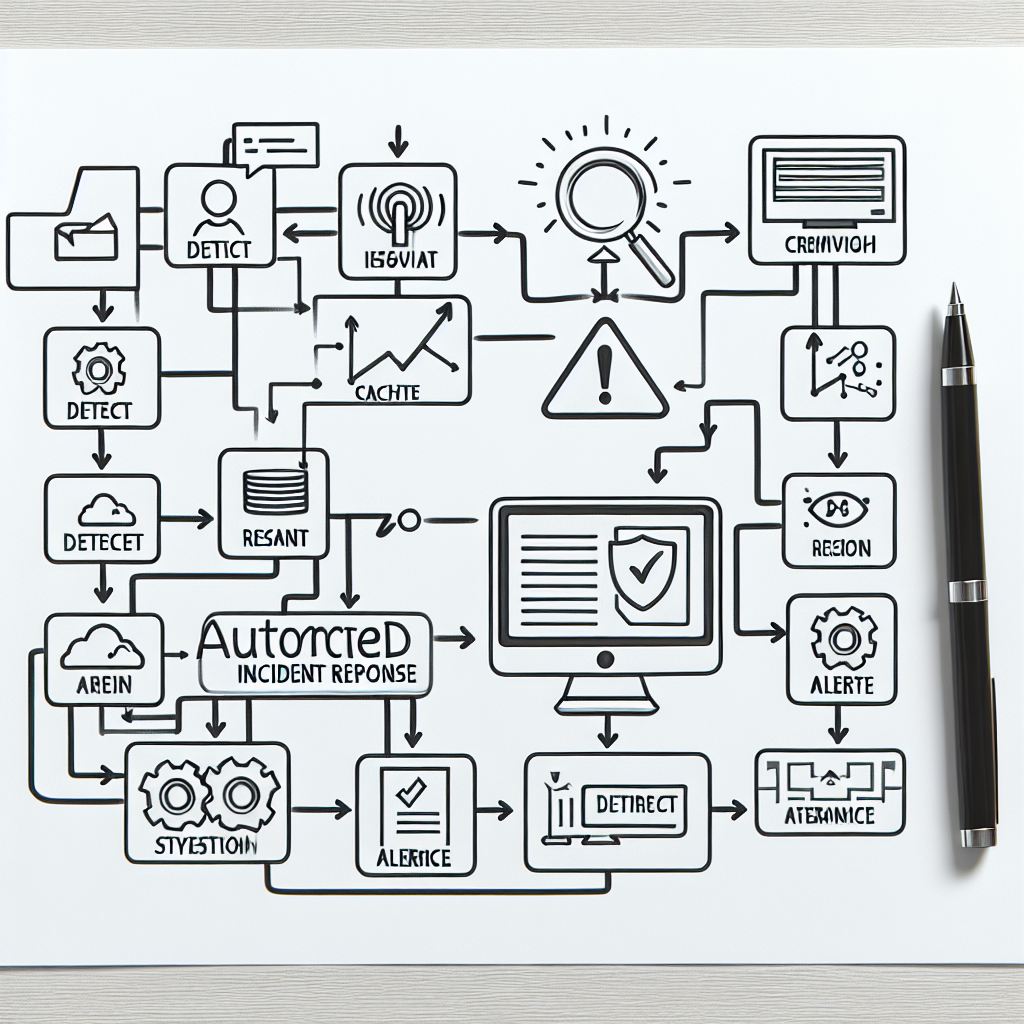
Why AI Monitoring and Incident Response Matters
Modern business websites and applications are complex, involving multiple integrations, APIs, and services. Even with automated AI agents handling support and workflows, failures can occur—whether due to server issues, plugin conflicts, or unexpected data anomalies. Without robust monitoring and response mechanisms, these issues might degrade customer experience, cause lost sales, or increase manual workloads.
OpenClaw AI agents can be configured not only to detect these issues early but also to react intelligently, often resolving problems autonomously or escalating to human operators with precise diagnostics.
Key Components of OpenClaw AI Monitoring
1. Comprehensive Metrics Collection
Effective monitoring begins with collecting the right data points. OpenClaw integrates with WordPress and hosting layers to gather metrics such as:
- Server resource utilization (CPU, RAM, disk I/O)
- WordPress plugin and theme health checks (version mismatches, errors)
- API response times and error rates
- Database query performance
- AI agent task success and failure rates
This data feeds into AI models that learn normal operational baselines and identify deviations.
2. Intelligent Anomaly Detection
OpenClaw uses AI algorithms to detect anomalies beyond static thresholds. For example, instead of alerting on a fixed CPU usage limit, it recognizes unusual spikes relative to historical patterns during that time of day or week. This reduces false positives and focuses attention on genuine issues.
3. Automated Alerting and Notification
When anomalies or errors arise, OpenClaw can send alerts through multiple channels including email, Slack, or WhatsApp. Alerts include contextual data and recommended remediation steps, enabling swift human or automated action.
Implementing Automated Incident Response Workflows
Beyond alerting, OpenClaw empowers businesses to configure automated responses to common incidents, improving uptime and reducing manual intervention.
Example: Auto-Restarting a Failing WordPress Plugin
Consider a scenario where a critical plugin stops responding due to memory leaks or conflicts. OpenClaw AI can:
- Detect plugin failure from error logs or heartbeat failures.
- Trigger a workflow to deactivate and reactivate the plugin automatically.
- Run diagnostic commands to verify the plugin’s operational status post-restart.
- Send a summary report to the technical team if the issue persists.
This workflow minimizes downtime without needing immediate human intervention.
Example: Resolving Website Performance Degradation
If OpenClaw observes slow page load times or database query bottlenecks, it can:
- Clear caching layers or CDN caches.
- Optimize database tables or restart the database service.
- Throttle background AI agent task execution to reduce load.
Such automated tuning keeps the site performant during peak traffic periods.
Deep-Dive: Creating a Custom Incident Response with OpenClaw
Let’s walk through a practical example of building a custom incident response workflow using OpenClaw’s scripting and orchestration features.
Step 1: Define the Incident Trigger
Set up an alert rule that triggers when API error rates exceed 5% over 10 minutes. This uses OpenClaw’s monitoring dashboard or API.
Step 2: Specify Automated Actions
Configure a workflow to:
- Restart the API service container using a VPS management command.
- Clear any associated caches.
- Send a confirmation alert with status logs.
Step 3: Test the Workflow
Simulate API failures in a staging environment to validate the trigger and response actions. Adjust thresholds and commands as needed for reliability.
Step 4: Deploy and Monitor
Deploy the workflow to production with continuous monitoring. Refine based on incident trends and feedback.
Integrating Incident Response with Business Continuity Plans
OpenClaw’s AI-driven incident response supports broader business continuity by:
- Reducing mean time to detect (MTTD) and mean time to resolve (MTTR) incidents.
- Ensuring critical systems remain available or degrade gracefully.
- Providing audit trails and reports for compliance and review.
Businesses should incorporate OpenClaw workflows into their IT and operational playbooks for maximum impact.
Practical Tips for Successful Monitoring Deployment
- Start small: Deploy monitoring on critical systems first before expanding.
- Customize alerts: Tailor severity levels and notification channels to your team’s preferences.
- Regularly review logs and reports: Use insights to proactively improve infrastructure and code quality.
- Train your team: Ensure operators understand how OpenClaw AI generates alerts and takes actions.
- Integrate with existing tools: Connect OpenClaw with ticketing, chatops, or incident management platforms.
Inline Images

Figure 1: OpenClaw AI Monitoring Dashboard showcasing real-time metrics and anomaly detection.

Figure 2: Example workflow diagram for automated incident response in OpenClaw.
Conclusion
Integrating AI-powered monitoring and incident response with OpenClaw elevates business resilience and operational efficiency. By leveraging intelligent anomaly detection, automated remediation workflows, and rich reporting, businesses can reduce downtime, improve customer trust, and free technical teams to focus on strategic improvements.
Next in our OpenClaw series, we will explore leveraging data pipelines and workflow orchestration to further optimize automation at scale.

