


OpenClaw AI Automation: Implementing AI-Driven Dynamic Resource Allocation and Load Balancing for WordPress and Hosting Environments (Part 20)
March 21, 2026
OpenClaw AI Automation: Enhancing AI Agent Explainability and Transparency for WordPress and Hosting Environments (Part 22)
March 22, 2026Introduction
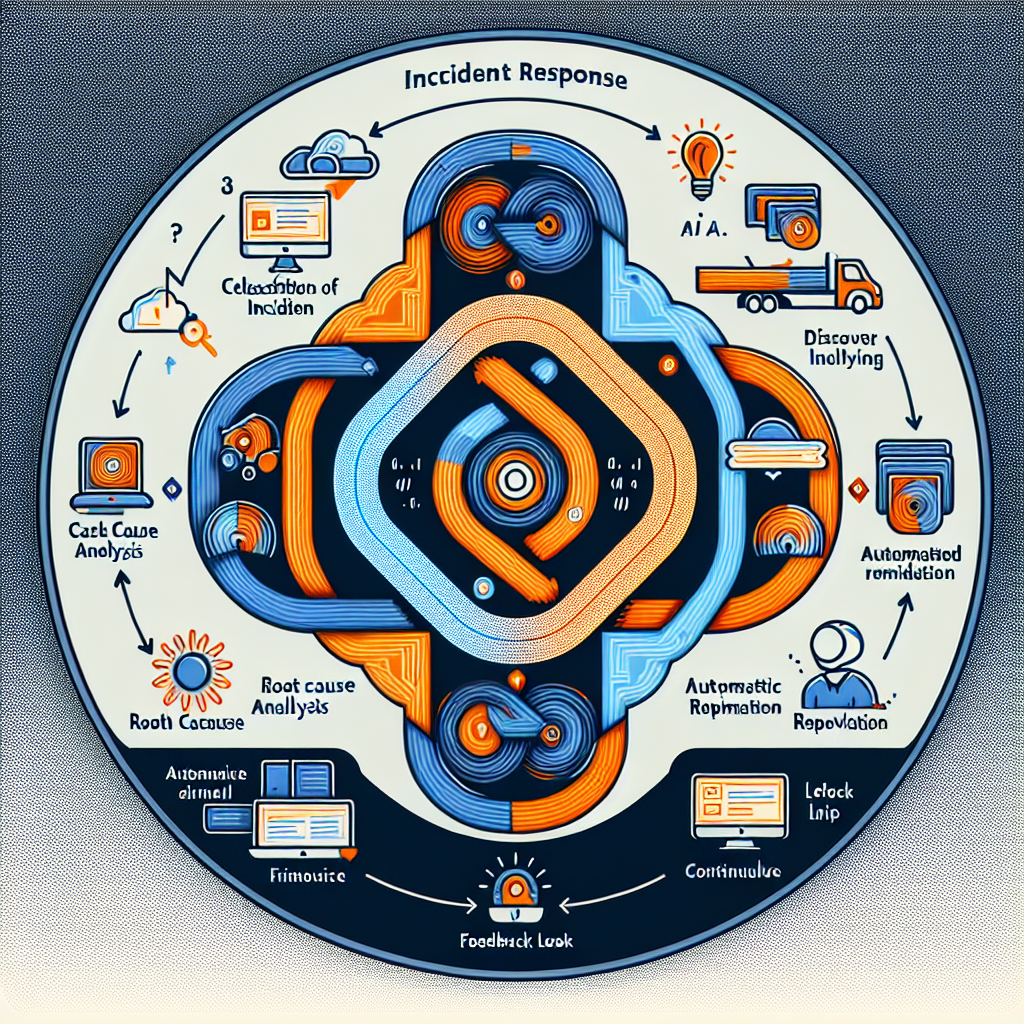
In Part 21 of our OpenClaw AI Automation series, we explore how to implement an intelligent AI-driven incident response and resolution system specifically designed for WordPress and hosting environments. Building on previous parts where we covered anomaly detection, predictive maintenance, and automated incident management, this installment focuses on the orchestration and automation of the entire incident lifecycle—from detection through root cause analysis to resolution and post-incident learning.
For small businesses, agencies, and hosting providers, minimizing downtime and accelerating recovery are critical. Leveraging OpenClaw AI agents to automate incident response reduces manual workload and improves service reliability.
Why Intelligent Incident Response Matters

Traditional incident response often involves manual triage, delayed communication, and inconsistent resolution procedures. Automating this with AI enables:
- Faster Detection and Prioritization: AI can rapidly identify incidents and rank them by severity and business impact.
- Automated Root Cause Analysis (RCA): Using AI reasoning and log analysis to pinpoint underlying issues.
- Contextual Response Automation: Triggering tailored remediation workflows based on detected incident types.
- Continuous Feedback and Learning: Improving future responses through adaptive learning mechanisms.
Core Components of an AI-Driven Incident Response System
To build an effective AI-driven incident response using OpenClaw, the system must integrate several critical components:
1. Incident Detection and Alerting Module
This module leverages real-time monitoring data, AI anomaly detection models, and log analysis to detect deviations indicating an incident. It integrates with WordPress logs, server metrics, and hosting environment telemetry.
2. Incident Prioritization and Classification Engine
Once detected, incidents are automatically classified (e.g., security breach, server overload, plugin failure) and prioritized based on business impact and urgency using AI-driven scoring models.
3. Root Cause Analysis (RCA) AI Agent
The RCA agent analyzes correlated logs, historical incidents, system states, and configurations to identify probable root causes, helping guide the remediation process.
4. Automated Remediation Workflow Orchestrator
Based on the incident classification and RCA results, this component triggers predefined or dynamically generated workflows to resolve issues—such as restarting services, rolling back updates, or applying patches.
5. Communication and Collaboration Interface
Automated notifications and collaboration tools keep stakeholders informed through WordPress dashboards, email, or messaging integrations like WhatsApp and Slack.
6. Post-Incident Review and Learning Module
After resolution, the system captures incident data and outcomes to refine AI models and update workflows, fostering continuous improvement.
Step-by-Step Implementation Using OpenClaw AI Agents
Step 1: Integrate Real-Time Monitoring Data
Start by connecting your WordPress and hosting environment metrics to OpenClaw agents. This includes:
- WordPress error and debug logs
- Server resource usage (CPU, RAM, disk I/O)
- Web server and database logs
- Network traffic anomalies
Example: Use OpenClaw’s API connectors to ingest logs from wp-content/debug.log and system logs like /var/log/syslog.
Step 2: Configure AI Anomaly Detection for Incident Alerts
Deploy pre-trained anomaly detection models within OpenClaw to monitor the ingested data streams. Customize thresholds relevant to your environment (e.g., spike in 500 errors, CPU above 85%).
Step 3: Define Incident Classification Rules and Train AI Models
Train classification models using historical incident data. For instance, differentiate between plugin conflicts, DDoS attacks, or server misconfigurations by feeding labeled examples into OpenClaw’s AI training pipeline.
Step 4: Implement Root Cause Analysis Agent
Develop an AI agent that uses pattern recognition and correlation across logs and system states. For example, it can correlate a sudden spike in database query time with a recent plugin update to identify root cause.
Use OpenClaw’s multi-agent collaboration features to combine insights from different monitoring sources.
Step 5: Automate Remediation Workflows
Create automated workflows that the AI triggers based on incident type and RCA output. Examples:
- Restarting PHP-FPM or Apache services if high memory usage is detected.
- Disabling a problematic WordPress plugin automatically after identifying it as root cause.
- Scaling hosting resources automatically during traffic surges.
Use OpenClaw’s workflow orchestration to chain these actions with conditional logic and retry mechanisms.
Step 6: Establish Communication Channels
Integrate automated notifications to your team via WhatsApp, email, or Slack, including incident summaries and resolution status. OpenClaw supports multi-channel messaging APIs for seamless communication.
Step 7: Implement Post-Incident Learning
Configure the system to log incident details, resolution steps, and outcomes. Use this data to retrain AI models and update automation workflows, ensuring continuous improvement.
Practical Example: Automating Plugin Conflict Resolution
Consider a scenario where a recent WordPress plugin update causes site errors. Here’s how an OpenClaw AI-driven incident response could handle it:
- Detection: Anomaly detection triggers alert on sudden increase in PHP errors logged.
- Classification: AI classifies incident as “plugin conflict” based on error patterns.
- RCA: Root cause analysis agent correlates errors with recently updated plugins.
- Remediation: AI triggers a workflow to automatically disable the problematic plugin.
- Notification: Team receives WhatsApp alert about the incident and resolution.
- Learning: Incident details are stored to improve future detection and workflows.
Advanced Tips for Optimizing Incident Response Automation
- Leverage AI Feedback Loops: Continuously tune incident detection thresholds using feedback from false positives/negatives.
- Implement Multi-Agent Collaboration: Use multiple specialized AI agents to analyze different data types and share insights for better RCA.
- Use Contextual Awareness: Incorporate business calendar and traffic patterns to avoid false alarms during expected peak loads.
- Maintain Human Oversight: Provide mechanisms for manual override and incident escalation when AI confidence is low.
Conclusion
Implementing an AI-driven intelligent incident response and resolution system with OpenClaw empowers WordPress site owners and hosting operators to automate complex troubleshooting workflows, minimize downtime, and enhance business continuity. By orchestrating detection, classification, root cause analysis, and automated remediation, OpenClaw streamlines incident management tailored to the unique challenges of WordPress and hosting environments.
In upcoming parts, we will explore integrating AI-driven customer communication during incidents and expanding multi-agent collaboration for enterprise-scale automation.
Further Reading and Related Resources
- OpenClaw AI Automation: Implementing AI-Driven Dynamic Resource Allocation and Load Balancing for WordPress and Hosting Environments (Part 20)
- OpenClaw AI Automation: Leveraging AI-Driven Predictive Maintenance for WordPress and Hosting Environments (Part 19)
- OpenClaw AI Automation: Advanced Anomaly Detection and Automated Incident Management for Business Continuity (Part 15)

