


OpenClaw AI Automation: Implementing AI-Driven Automated WordPress Performance Monitoring and Real-Time Optimization Workflows (Part 81)
April 25, 2026
OpenClaw AI Automation: Advanced AI-Driven Automated WordPress Security Auditing and Vulnerability Management Workflows (Part 82)
April 26, 2026Introduction
Following the exploration of performance monitoring and optimization workflows, this installment of the OpenClaw series delves into the critical domain of WordPress security auditing and vulnerability management. In today’s threat landscape, automating security tasks is paramount for small businesses and website operators to maintain robust defenses without incurring heavy manual workload.
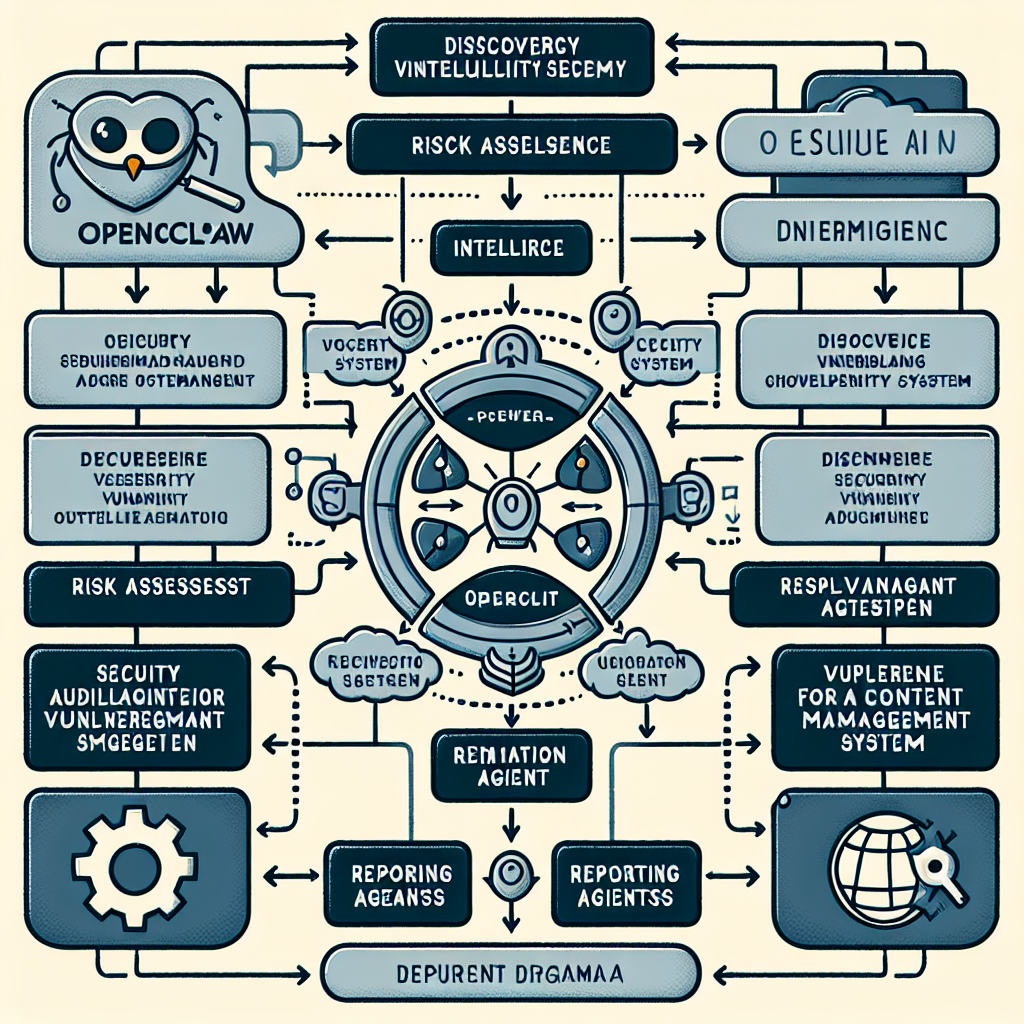
This detailed guide demonstrates how to harness OpenClaw AI agents to build comprehensive automated workflows that continuously audit WordPress installations, detect vulnerabilities, prioritize risks, and initiate remediation steps. By the end, readers will understand how to implement end-to-end AI-driven security workflows that scale with their business needs.
Why Automate WordPress Security Auditing?
WordPress powers a substantial portion of the web, making it a frequent target for malicious actors. Common vulnerabilities include outdated plugins, weak credentials, misconfigurations, and zero-day exploits. Manual security auditing is time-consuming, prone to error, and often reactive rather than proactive.
Automated security auditing and vulnerability management provide several benefits:
- Continuous monitoring: Real-time identification of emerging risks.
- Faster response: Automated remediation reduces exposure time.
- Prioritization: AI-driven risk scoring helps focus efforts on critical vulnerabilities.
- Compliance: Automate reporting for internal policies or regulatory requirements.
- Resource efficiency: Reduce manual labor and human error.
OpenClaw AI Agents for Security Auditing: Architecture Overview
OpenClaw’s modular AI agents can be orchestrated to create a multi-phase security auditing workflow:
- Discovery Agent: Scans WordPress core, plugins, and themes for version info and configuration.
- Vulnerability Intelligence Agent: Matches components against vulnerability databases (e.g., WPScan, CVE feeds).
- Risk Assessment Agent: Scores and prioritizes vulnerabilities based on exploitability, site context, and business impact.
- Remediation Agent: Generates and optionally executes fixes such as plugin updates, configuration changes, or alerts to admins.
- Reporting Agent: Produces detailed security audit reports for stakeholders.
Each agent can be customized and chained through OpenClaw’s workflow engine to trigger subsequent steps automatically.
Step-by-Step Implementation Guide
1. Setting Up the Discovery Agent
The discovery agent must gather accurate data about the WordPress environment.
- Use OpenClaw’s API integrations to query the WordPress REST API for installed plugins, themes, and WordPress core versions.
- Implement file system scans via SSH or WP-CLI to detect manual modifications or outdated files.
- Example: Configure the discovery agent to run weekly scans and push data to a centralized database.
2. Integrating Vulnerability Intelligence Feeds
Next, the vulnerability intelligence agent cross-references the discovered components with known vulnerability databases.
- Integrate feeds like WPScan Vulnerability Database and public CVE databases using OpenClaw’s data connector modules.
- Normalize and enrich vulnerability data with metadata such as severity, exploit availability, and patch status.
- Example: Set up automated daily updates of vulnerability feeds to keep intelligence current.
3. Risk Assessment Using AI Models
Raw vulnerability data must be prioritized intelligently to avoid overwhelm.
- Develop or integrate AI models trained on historical exploit data and business impact scores.
- Factors to consider include site traffic, plugin criticality, exploit complexity, and past incident history.
- Example: The risk assessment agent assigns a dynamic risk score from 1-10 to each vulnerability, flagging those above a threshold for immediate action.
4. Automated Remediation and Notifications
The remediation agent automates fixes depending on risk level and type.
- For low-risk items, it may schedule plugin updates or notify admins to review.
- For critical vulnerabilities, it can trigger automatic patch installations, configuration adjustments, or temporarily disable vulnerable features.
- Integrate with communication platforms (Slack, email, WhatsApp) to alert key personnel.
- Example: Use OpenClaw’s workflow triggers to automatically apply security patches overnight during low traffic periods.
5. Comprehensive Reporting and Compliance Tracking
Finally, the reporting agent generates detailed, customizable audit reports.
- Include timelines of detected vulnerabilities, remediation actions taken, and outstanding risks.
- Support export formats such as PDF, CSV, or direct dashboard integration.
- Enable automated report distribution to stakeholders on a scheduled basis.
Practical Example: Automating Plugin Vulnerability Management
Consider a WordPress site with 30+ plugins, updated irregularly. The workflow would proceed as follows:
- The discovery agent identifies all installed plugins and their versions.
- The vulnerability intelligence agent flags a critical remote code execution vulnerability in a popular plugin version.
- The risk assessment agent assigns a high risk score due to exploit availability and site exposure.
- The remediation agent attempts an automatic plugin update during off-hours and sends alerts to admins.
- A follow-up scan confirms the plugin is updated and vulnerability resolved; the reporting agent documents the event.
Advanced Tips for Enhanced Security Automation
- Custom AI Models: Train risk assessment models with your own site data for tailored prioritization.
- Multi-Site Aggregation: Use OpenClaw to consolidate audits across multisite WordPress deployments.
- Integration with SIEM Tools: Forward audit logs and alerts to Security Information and Event Management platforms for enterprise monitoring.
- Adaptive Learning: Implement feedback loops where remediation outcomes retrain AI models to improve accuracy.
Security Considerations and Best Practices
While automation increases efficiency, it must be implemented carefully:
- Backup Before Changes: Always schedule backups before automated remediation steps.
- Access Controls: Secure API keys and credentials used by AI agents.
- Human Oversight: Critical changes should have optional manual approval workflows.
- Regular Updates: Keep OpenClaw and all integrated tools up-to-date.
Conclusion
Automating WordPress security auditing and vulnerability management with OpenClaw AI agents empowers business owners and technical teams to proactively protect their sites with minimal manual effort. By building multi-agent workflows that continuously discover, assess, remediate, and report security risks, organizations can ensure more resilient web presence.
In the next part of this series, we will explore how to integrate AI-driven automated WordPress content personalization workflows, further enhancing user engagement and business outcomes.

