How to recover missing page text with WordPress revisions
October 26, 2026
Should your website links open in a new tab?
October 27, 2026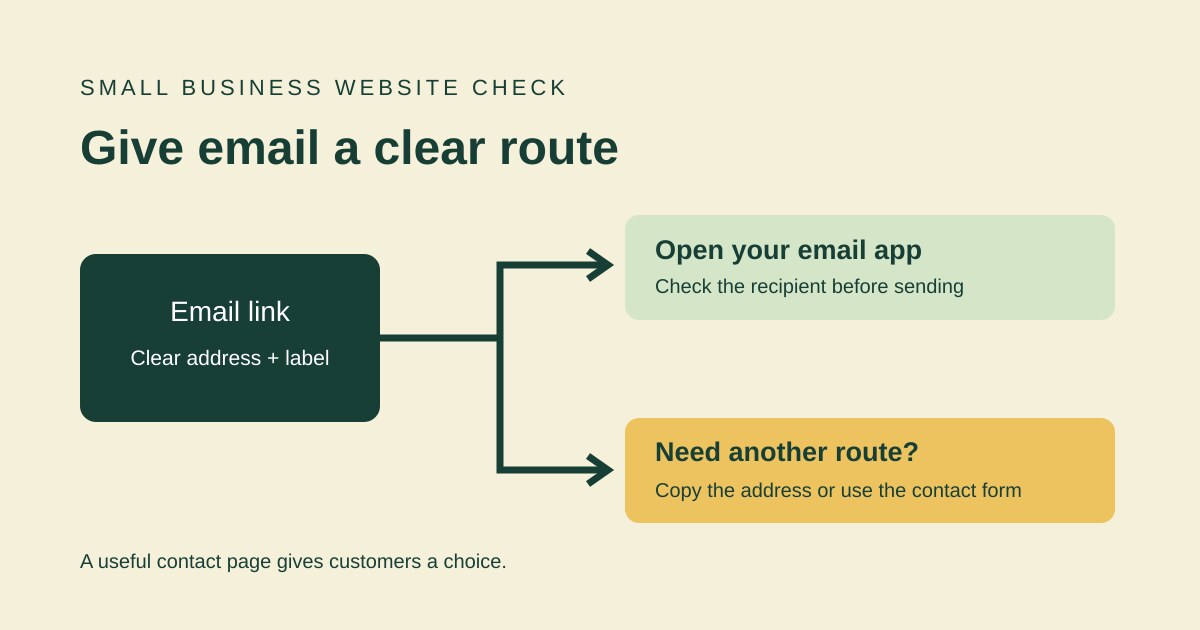
An email link on your small-business website should make it easy to start an enquiry. But a button marked “Email us” is only useful if it points to the right address and customers can still contact you when their device does not open an email app.
Use this practical check on your contact page, footer and main service pages. You do not need to change your email provider to improve the wording and the route customers follow.
What should a website email link do?
A standard email link uses mailto: followed by an address. It asks the visitor’s configured email handler to prepare a message. It does not send the message for them. The result depends on the visitor’s device, browser and email setup; do not assume everyone will see the same compose window. MDN’s guide to HTML links explains the email-link format.
Keep the first check simple: compare the address shown on the page with the actual destination stored in the link. A page can display a new address while its button still points to an old mailbox.
Make the address and purpose clear
Prefer a label such as “Email our enquiries team” to “Click here”. Put the business email address beside it as ordinary, selectable text. This gives people a way to copy the address into the email service they already use.
Use a mailbox that someone actually monitors. If different pages use different addresses, check that this is intentional and that each enquiry has a clear owner. Avoid publishing an individual employee’s address simply because it was left in an old page template.
W3C’s guidance on link purpose explains why people should be able to understand what a link does from its text or context. A descriptive label is a useful improvement, although it is not a complete accessibility assessment.
Test the customer’s route
- Open the public page. Use a phone and a desktop browser if both are available. Check the footer as well as the main contact section.
- Select the email link. Check the recipient in the compose window. If a subject is prefilled, make sure it is useful and still current.
- Try the keyboard. On a desktop, use Tab to reach the link and Enter to activate it. You should be able to see which link has focus.
- Check the fallback. Can you select and copy the written address? Is there another clear contact route if the email app does not open?
- Confirm delivery separately. Send one clearly labelled test enquiry to your own business, then check the receiving mailbox and any routing rules. Opening a compose window alone does not prove delivery.
Offer another way to get in touch
If your website has a contact form, place a descriptive link to it beside the email address. Check that the form works before presenting it as the fallback. Our step-by-step contact form test covers that separate journey.
Do not add a response-time promise unless your business has agreed it and can meet it. Clear ownership of enquiries is more useful than an unsupported “instant reply” message.
Keep a short check record
Record the pages checked, the destination address, the devices used and any faults. Repeat the check after a mailbox change, a footer edit or a website redesign. Fix one incorrect destination everywhere it appears, then test the public pages again.
Need help with the contact journey on your website? Visit Hobbit Web Design and use the contact details on the site to tell us which page needs attention.